Have you ever uploaded a perfect image only to watch it get awkwardly cropped, stretched, or ruined in seconds? That frustrating moment is more common than you think, and it’s not your fault.
The real reason usually comes down to image aspect ratios, a simple concept that quietly controls how every image appears on screens. Once you understand it, images stop fighting you and start working for you.
Whether you’re creating slides, posting on social media, or adding visuals to a website, aspect ratios decide what looks professional and what looks amateur. The good news is you don’t need design skills or complex tools to master this with confidence today.
What Is the Image Aspect Ratio?
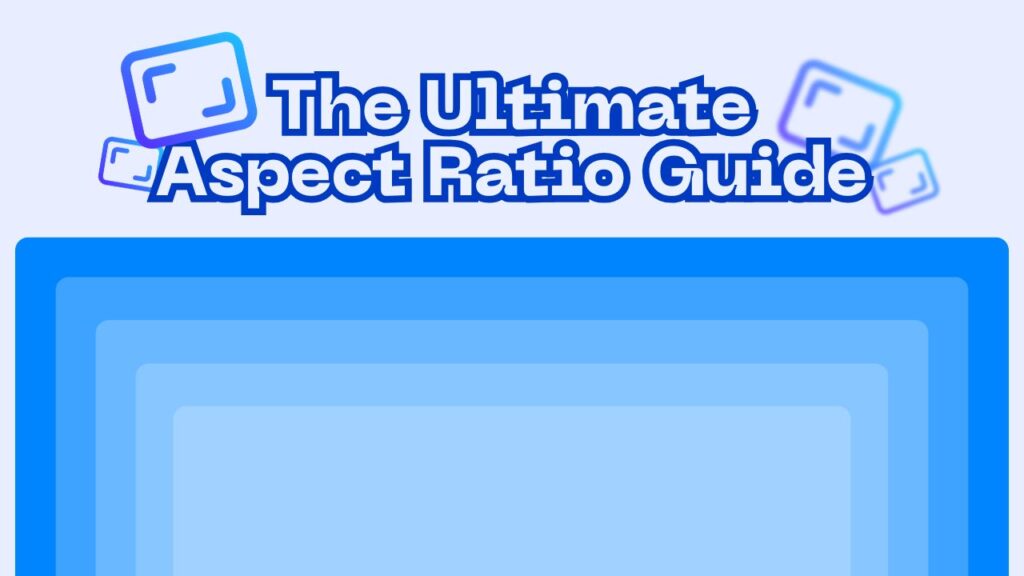
At its core, understanding image aspect ratios means understanding the relationship between an image’s width and its height, expressed as a simple proportion. This ratio does not describe how large or small an image is in pixels or inches; instead, it defines its shape.
For example, a wide cinematic photo and a tall mobile image may contain the same visual content, yet appear completely different because their proportions are not the same.
Many beginners assume that aspect ratio is a technical concept reserved for designers, but that belief creates unnecessary confusion. In reality, the aspect ratio explained in plain language is simply about how an image fits into a given space.
Whether that space is a website banner, a social media post, or a presentation slide, the aspect ratio determines whether the image appears balanced or awkward.
When you work with visuals, aspect ratio quietly affects everything from composition to readability. If the ratio does not match the platform’s requirements, parts of the image may be cropped, stretched, or distorted.
This is why the same image can look perfect on one screen and broken on another. Recognizing this early helps non-designers avoid frustration and wasted effort.

Why Image Aspect Ratios Matter?
Aspect ratios matter because they directly influence how viewers perceive your visuals and how professional your content appears. When an image fits naturally within its intended space, it feels intentional and polished. When it does not, the viewer may feel distracted, even if they cannot explain why.
Using the correct image aspect ratios helps maintain clarity and visual harmony across platforms. Different devices and layouts are built around specific formats, and images that do not align with those formats often lose important details.
For instance, text placed too close to the edges of an image might disappear entirely if the platform automatically crops it.
Another important reason aspect ratios matter is consistency. If your images follow the same proportions across a website or social feed, your content feels cohesive and trustworthy. Inconsistent visuals, on the other hand, can make even high-quality content appear careless or unfinished.
Aspect ratios also play a practical role in workflow efficiency. When you understand them, you spend less time fixing problems after uploading and more time creating content that works the first time. Instead of guessing and adjusting repeatedly, you can prepare images correctly from the start.
How Does Aspect Ratio Impact the Display of an Image?
The aspect ratio determines how an image is displayed within a specific container, whether that container is a screen, a webpage, or a printed layout. When the ratio of the image matches the ratio of the container, the image appears exactly as intended. When it does not, the system must decide how to adjust it.
This adjustment usually happens in one of three ways: cropping, stretching, or adding empty space. Cropping removes parts of the image, stretching distorts it, and empty space can make it look unfinished. All of these outcomes are influenced by image aspect ratios, even if the user is unaware of what is happening behind the scenes.
Many people confuse aspect ratio with image dimensions, but they serve different purposes. Dimensions describe the actual size of an image, while aspect ratio describes its shape. Two images can have completely different dimensions yet share the same ratio and display similarly on screen.
Aspect ratio also affects how images respond to different screen sizes. Modern platforms often display content across phones, tablets, and desktops, each with unique layouts. If the aspect ratio is not flexible enough, the image may display well on one device and poorly on another.

What Are the Most Common Image Aspect Ratios?
There are several image aspect ratios that appear repeatedly across digital platforms, each designed to suit specific use cases. Knowing where each ratio is commonly used helps you choose the right format without trial and error. Some of the common aspect ratios include:
- 16:9 ratio: This is commonly used for videos, presentations, YouTube thumbnails, and widescreen displays. This format works well for storytelling and landscape visuals because it matches most modern screens.
- 1:1 square images: Frequently seen on social media feeds, especially where uniform layouts are important. This ratio creates balance and works well for product shots and profile posts.
- Portrait-style ratios: Often used for mobile-first platforms such as stories and short-form content, where vertical space is prioritized.
- Banner-style ratios: Designed for websites, headers, and digital ads that need to stretch horizontally without losing focus.
Each of these ratios exists because of how people consume content on different platforms. Social networks, websites, and presentation tools are built with specific proportions in mind. When your image matches those expectations, it integrates seamlessly into the user experience.
By recognizing these common formats and their typical uses, non-designers can make confident choices without memorizing technical rules. The goal is not perfection, but alignment between the image and the platform where it will appear.
How to Choose the Right Aspect Ratio for Your Needs?
Choosing the right image aspect ratios begins with understanding where and how your image will be used. Instead of starting with the image itself, start with the destination. Different platforms have different expectations, and meeting those expectations makes your content easier to consume.
When selecting an aspect ratio, consider the following factors:
- The platform or medium where the image will be displayed
- The type of content you are sharing, such as educational, promotional, or informational
- The primary focus of the image and how much space it needs
It is also important to think about width vs height and how that balance supports your message. A wide image may emphasize context and environment, while a taller image may draw attention to a single subject. Neither is better by default; each serves a different purpose.
Many non-designers struggle with photo sizing because they resize images without considering the original ratio. This often leads to distortion or unintended cropping. Instead of forcing an image into a new shape, it is better to start with a ratio that matches your goal.
When adjustments are necessary, resizing images should be done carefully to preserve visual quality. Modern tools often handle image scaling automatically, but understanding the basics helps you avoid common mistakes.
Finally, remember that digital images are flexible, but platforms are not always forgiving. Choosing the right ratio upfront saves time and reduces frustration. With a small amount of planning, even non-designers can create visuals that look intentional and professional.
Last words
Understanding image aspect ratios is not about mastering design theory; it is about gaining control over how your visuals appear across different platforms.
When you know how aspect ratios work, you stop reacting to visual problems and start preventing them. For non-designers, this knowledge removes guesswork and builds confidence. You no longer need to rely on trial and error or hope that an image “just works.”
Now it’s your turn; Have you noticed aspect ratio issues in your own content? Which platform do you struggle with the most when uploading images?