

Advanced Word Counter
Count words, characters, and more with precision
Text Analysis Results
Supports all languages
What Is Advanced Word Counter?
Advanced Word Counter is an online utility that is speedy, accurate, and user-friendly, making it easy for users to analyze their text in different manners. The tool gives exact statistics on words, letters, characters, and more - perfect for writers, students, editors, bloggers, or developers.
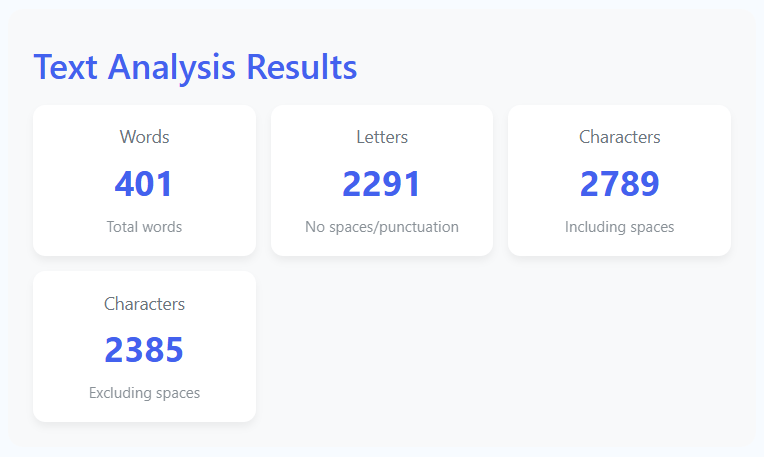
Unlike basic counters that only count words, our advanced tool provides detailed breakdowns, including letters, total characters, and characters excluding spaces. This comprehensive analysis gives you complete insight into your text composition.
This tool becomes extremely valuable for content creators who need to adhere to word or character limits, want to optimize their content for SEO, or prepare text for social media, blogs, essays, or professional documents. Being compatible with all languages, it's perfect for multilingual projects because the counting remains accurate regardless of the text's language or script.
Advanced Word Counter is both simple and effective to use: just enter your text via keyboard or clipboard, and the tool scans it, returning detailed statistics in a beautiful, functional, and user-friendly dashboard within seconds.
How to Use Our Advanced Word Counter
Enter Your Text
Type or paste your text into the input box. You can enter text in any language - our tool supports all scripts and character sets. The text area is designed for easy editing and can accommodate large documents.
Click Analyze or Auto-Analyze
Click the "Analyze Text" button for instant analysis, or simply wait as the tool automatically analyzes your text as you type. Real-time counting updates ensure you always see current statistics.
Review Detailed Statistics
Examine the comprehensive results displayed in our organized dashboard. Watch as animated counters display each metric, providing both visual appeal and immediate understanding of your text composition.
Clear and Start Fresh
Use the "Clear" button to reset the text area and start a new analysis. The tool maintains focus on the input area for efficient workflow, allowing you to quickly move between different text samples.
Key Metrics Analyzed
Pro Tips for Optimal Use
- Use the auto-analysis feature by simply typing - no need to click buttons
- Check character counts (with and without spaces) for different platform requirements
- Monitor letter count for readability analysis and content optimization
- The tool works offline after initial load - perfect for writing in any location
- Bookmark the page for quick access during writing sessions
- Use on mobile devices for on-the-go text analysis
Frequently Asked Questions
Our Advanced Word Counter uses sophisticated Unicode-aware regular expressions that can accurately identify word boundaries in any language. It supports Latin scripts (English, Spanish, French), Cyrillic (Russian), Arabic, Chinese, Japanese, Korean, Devanagari (Hindi), and all other writing systems. Emojis and special symbols are handled correctly, and the tool maintains accuracy regardless of the language or script combination used.
Character count with spaces includes every character in your text: letters, numbers, punctuation, spaces, tabs, and line breaks. This is useful for platforms with strict total character limits (like Twitter's 280 characters). Character count without spaces excludes all whitespace (spaces, tabs, line breaks) and is useful for estimating reading time, storage requirements, or when spaces aren't relevant to your requirements.
Different tools use different algorithms for word detection. Simple tools might split text by whitespace only, which can miscount hyphenated words, contractions, or languages without spaces. Our tool uses advanced Unicode word boundary detection that correctly handles all these cases. We also correctly count numbers, URLs, and email addresses as words when they appear in context. For maximum accuracy with complex texts, our algorithm is tuned to match human perception of what constitutes a "word."
Yes! The Advanced Word Counter can handle documents of virtually any length. The performance remains smooth even with very long texts (hundreds of thousands of words) because of our optimized algorithms. However, for extremely large documents (novels, theses), we recommend analyzing one chapter or section at a time for the best user experience. The text area can accommodate any length, and the real-time analysis adjusts automatically to your content size.
Absolutely! Once you load the page initially, the Advanced Word Counter works completely offline. All processing happens locally in your browser using JavaScript, so no internet connection is needed for analysis. This makes it perfect for writing in locations without reliable internet access, during travel, or in areas with connectivity issues. You can even save the page locally for permanent offline access.
Our real-time counting is extremely accurate and optimized for performance. We use a debounced algorithm that waits for a brief pause in typing (300 milliseconds) before updating counts. This prevents unnecessary calculations during rapid typing while ensuring you always see current statistics. The counts update instantly when you stop typing, and the smooth animations make the results easy to follow. For manual updates, you can always click the "Analyze Text" button.
Yes! The Advanced Word Counter is fully responsive and works perfectly on smartphones and tablets. The interface adjusts to smaller screens, with appropriately sized touch targets, readable fonts, and optimized layout. The virtual keyboard handling is specially tuned for mobile devices, ensuring a smooth writing and analysis experience. Mobile users get all the same features as desktop users with the same accuracy and performance.
100% secure and private! Your text never leaves your device. All analysis happens locally in your browser using JavaScript. We don't store, transmit, or have access to any text you enter. There are no tracking cookies, analytics, or data collection. This makes our tool ideal for sensitive documents, confidential work, personal writing, or any text you want to keep completely private. Your writing remains yours alone.
The tool works with plain text input. You can paste text from any source: word processors (Microsoft Word, Google Docs), text editors, PDFs, web pages, emails, or any other text source. When pasting, formatting is automatically removed, and only the plain text is analyzed. For documents in specific file formats, we recommend copying the text from your document and pasting it into our tool. The simplicity of plain text input ensures maximum compatibility and accuracy.
No limits whatsoever! You can use the Advanced Word Counter as much as you want, for any purpose, completely free. There are no usage restrictions, rate limits, subscription requirements, or premium features. The tool is designed to be your reliable companion for all text analysis needs, available whenever you need it, for as long as you need it. We believe in providing valuable tools without artificial limitations.