

What is a Character Counter?
A Character Counter is an essential free online tool for writers, students, developers, and social media managers to instantly calculate the exact length of their text. Whether you need to fit a post into Twitter's (X) strict character limit, write a perfect SEO meta description, or meet an essay requirement, our tool provides precise, real-time data as you type or paste your content.
Unlike basic text length calculators, our Character Count Tool goes beyond simple counting. It simultaneously tracks the number of characters with and without spaces, the total word count, sentences, paragraphs, and even estimates reading time. It is the ultimate writing studio to ensure your content is perfectly sized for any platform, including SMS, Instagram captions, and web forms.
This tool is essential for social media managers, SEO specialists, students, developers, and translators who need to ensure their content is precisely sized and formatted for any platform, without the risk of truncation or rejection.
How to Use the Letter Counter
Paste or Type
Start typing directly into the editor or paste your text using Ctrl+V (or Cmd+V on Mac). The tool instantly processes your input and begins tracking all statistics in real-time.
View Character Stats
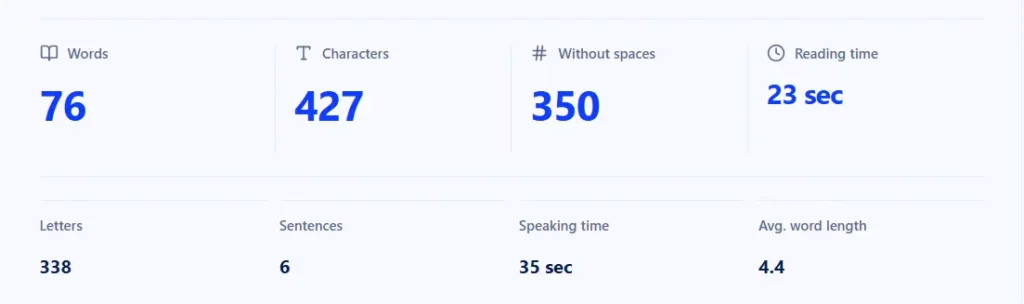
Look at the stats panel at the top. The "Characters" box shows your total length, while "Without spaces" shows the exact number of letters and symbols. Word, sentence, and paragraph counts update simultaneously.
Set a Writing Goal
Use the "Writing goal" sidebar to set a target (e.g., 280 for Twitter, 160 for meta descriptions) and monitor your progress bar. Perfect for staying within platform limits.
Refine Your Text
Use the "Text tools" sidebar to remove extra spaces, which can unexpectedly inflate your character count and ruin your formatting. Copy the cleaned text or export as needed.
Why Use Our Online Character Counter?
Common Character Limits (Cheat Sheet)
| Platform / Element | Maximum Character Limit |
|---|---|
| Twitter / X (Standard Tweet) | 280 characters |
| Google Meta Title (SEO) | 50–60 characters |
| Google Meta Description (SEO) | 150–160 characters |
| Instagram Bio | 150 characters |
| SMS Message (Standard) | 160 characters |
Who is this Character Count Tool for?
- Social Media Managers: Ensure your tweets, LinkedIn posts, and Instagram captions don't get cut off.
- SEO Specialists: Keep your title tags and meta descriptions within Google's recommended limits to avoid truncation in search results.
- Students & Academics: Accurately count characters for assignments that have strict formatting or maximum length rules.
- Developers & QA Testers: Test input fields or database limits by instantly checking the exact character length of user inputs.
- Translators: Calculate exact text length to estimate project pricing and formatting constraints.
Pro Tips for Effective Use
- Check the "Without spaces" count for platforms that don't count spaces (like some SMS gateways).
- Use the "Writing goal" sidebar to stay within platform limits without manual counting.
- Emojis and special characters count as 1 character each in most platforms, but check the exact count.
- Save drafts regularly the tool stores text in local storage, but always keep backups.
Frequently Asked Questions (FAQ)
Yes, our tool shows you two numbers: one that includes spaces and one that excludes them (letters, numbers, and symbols only), so you have complete control over your text length.
The standard character limit for a tweet is 280 characters. You can paste your draft into our tool and check the count to ensure it fits before posting.
Yes. Our advanced text analysis engine accurately counts emojis, punctuation, and special symbols as characters, which is crucial for social media posts and modern communication.
Yes, it is 100% free, requires no signup or registration, and has no limits on how many times you can check your text.
Reading time is estimated based on an average reading speed of 200 words per minute, while speaking time is estimated at 130 words per minute.
Yes! The tool uses advanced language segmentation APIs, meaning it accurately counts characters and words in English, Persian (Farsi), Arabic, and many other languages.
No. Your privacy is our priority. All text processing happens locally in your browser and is temporarily saved in your browser's local storage (so you don't lose your draft if you refresh). Your text is never uploaded to our servers.
Yes, the Character Counter is fully responsive and works perfectly on smartphones, tablets, and desktops. The interface adapts to smaller screens with readable fonts and touch-friendly controls.