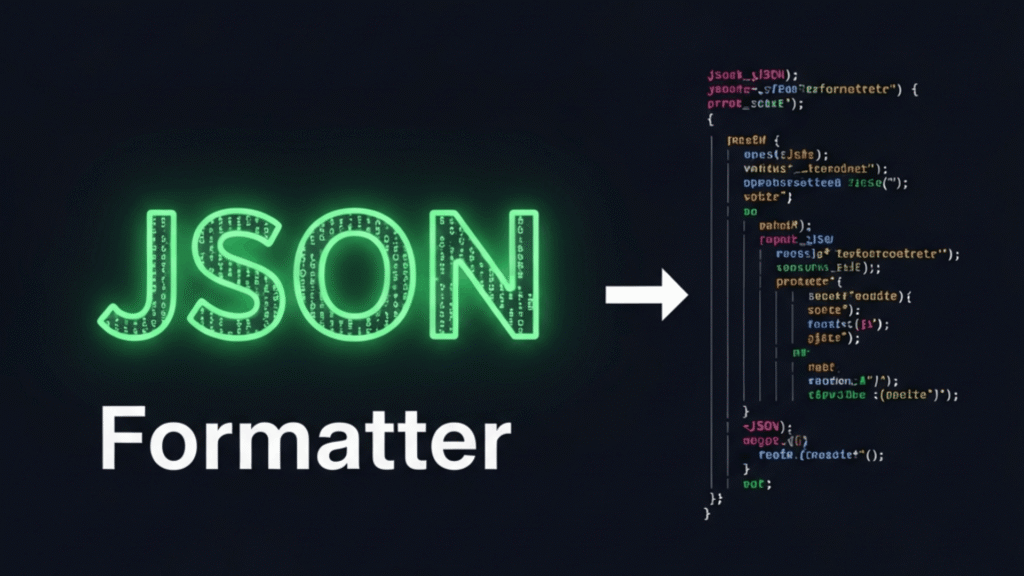
Imagine you’re debugging a tricky API response late at night. You stare at a wall of messy, minified JSON, squinting at brackets and commas, wondering where the mistake is hiding. Frustrating, right? This is exactly where a JSON Formatter becomes your best friend.
It takes that unreadable jumble of data and transforms it into clean, structured, and readable JSON that you can actually make sense of. As apps get smarter, JSON grows messier, and developers spend hours untangling it. Without the right tools, this process is slow, error-prone, and downright frustrating.
But when you understand how JSON formatting works and leverage the advanced capabilities of modern formatters, you suddenly gain speed, clarity, and confidence. Ready to explore it step by step and see how it can make your workflow smoother and less stressful?

What is a JSON Formatter?
To fully understand the purpose of a formatter, it’s important to first look at JSON itself.
JSON (JavaScript Object Notation) is a lightweight data-interchange format used to represent structured information in a simple text form. It organizes data using objects and arrays, making it easy for machines to process and relatively easy for humans to read.
Because of its flexibility and language-agnostic design, JSON has become the standard format for APIs, configuration files, logging systems, and data storage across modern software ecosystems.
A JSON formatter is a specialized utility designed to take raw or compressed JSON input and reorganize it into a clear, structured layout. Instead of presenting data as a single dense string, the formatter applies indentation, spacing, and hierarchy to reveal the structure of the data.
The goal is not to change the content, but to make it easier to analyze, debug, and maintain throughout the development lifecycle. This helps transform input into readable JSON data.
What Are the Key features of JSON Formatter?
A high-quality formatter offers a range of features that go well beyond basic indentation. These capabilities are designed to support real-world development scenarios and large-scale data handling:
- Many developers rely on a JSON beautifier to convert dense JSON into a visually clear, readable format
- Intelligent indentation and spacing that clearly expose nested objects and arrays
- Visual hierarchy that improves data comprehension and reduces cognitive load
- Built-in validation to ensure the structure conforms to JSON standards
- Transformation capabilities for switching between human-readable and compact formats
- Support for documentation, debugging, and inspection workflows
- Performance optimization for handling large or deeply nested data structures
Together, these features help developers work faster while minimizing mistakes.
How JSON Formatter Works?
Most modern formatters (whether web-based, IDE-integrated, or standalone) follow a similar internal workflow. Well-known and trusted JSON formatting tools include JSONLint, JSONFormatter.org, JSON Editor Online, and formatting utilities embedded in platforms like Postman or browser developer tools.
These tools also function as a JSON validator to check for correctness. Despite interface differences, their core process to format JSON online typically includes the following stages:
- Parsing and structural analysis: The first step is acting as a JSON parser, reading the input and creating a structured representation of the data.
- elements, or structural inconsistencies that could break downstream systems.
- Formatting logic application: Once validated, consistent rules for indentation, spa Cing, and alignment are applied to reorganize the data. Developers can then pretty print JSON for readability.
- Interactive rendering: The formatted output is displayed in a clean interface, often with expandable sections for easier navigation. Alternatively, they can minify JSON for compact storage or fast transfer.
This automated pipeline ensures accuracy, consistency, and speed, qualities that are critical in professional development environments.
Advanced Capabilities of Modern JSON Formatters
As developer needs have evolved, JSON formatters have expanded far beyond simple text formatting. Today’s tools often include advanced features that significantly enhance productivity and usability.
- Interactive Tree Views and Navigation
Many modern formatters provide a tree-based visualization that allows developers to expand and collapse nested structures.
This is especially useful when working with large or deeply nested datasets, as it enables focused inspection without losing context. Instead of scrolling endlessly, developers can quickly isolate specific sections of interest.
- Syntax Highlighting and Visual Feedback
To improve readability even further, advanced tools apply syntax highlighting that visually differentiates keys, strings, numbers, booleans, and null values.
Errors and invalid segments are often highlighted with clear visual cues, making issues easier to spot at a glance compared to plain text output.
- Multiple Input and Output Options
Professional-grade formatters support flexible workflows by allowing users to upload files directly, paste raw input, or fetch data from external sources.
Many also offer downloadable output files, making it easy to store or share formatted data. Customizable interfaces, including dark and light themes, improve usability during long development sessions.
- Data Conversion and Interoperability
Some tools extend their functionality by enabling conversion between JSON Formatter and other common data formats such as XML, CSV, or YAML.
This is particularly valuable in environments where systems rely on different data standards or when exporting data for reporting and analysis. They also excel at structured data formatting for consistent project-wide data clarity.
- Path Discovery and Targeted Data Extraction
Advanced formatters often include path-finding features that help developers locate specific values within complex structures.
By identifying exact data paths, developers can more easily reference fields in application logic, tests, or documentation without manually tracing nested objects.
- Automatic Error Suggestions and Repairs
Beyond simple validation, some modern tools assist developers by suggesting fixes for common structural issues. They can detect and highlight any JSON syntax error immediately.
- Performance and Large File Handling
Handling large JSON payloads efficiently is a key differentiator among tools. High-quality formatters are optimized to process large files smoothly without freezing or crashing, making them suitable for enterprise-level APIs, logs, and analytics data.
Why Every Developer Needs a Reliable JSON Formatter & Validator in their Toolkit?
In today’s interconnected software landscape, developers constantly interact with data flowing between services, platforms, and teams. A reliable formatter directly improves productivity by reducing the time spent interpreting raw data and minimizing avoidable errors.
It also simplifies API response formatting for easier inspection and debugging. Clear formatting simplifies collaboration by making shared data easier to review and discuss. Developers often rely on JSON debugging tools to pinpoint issues faster.
It accelerates debugging by exposing structural issues early and helps maintain data integrity before information moves further down the pipeline. Over time, consistent formatting practices also improve maintainability, making systems easier to scale and evolve.
More importantly, a good formatter reinforces trust in data. When developers can confidently read and validate what they’re working with, decision-making becomes faster and more accurate, whether during development, testing, or production troubleshooting.
Conclusion
As software systems become more data-driven, the importance of clarity cannot be overstated. A JSON Formatter is no longer just a convenience tool; it’s a fundamental part of a professional developer’s workflow. By transforming raw data into structured, understandable output, it enables faster debugging, safer integrations, and smoother collaboration across teams.
If your work involves APIs, configuration files, or data exchange of any kind, investing time in understanding and using the right formatting tools will pay dividends every single day.
Now we’d love your input: Which JSON features do you rely on most during development? Have advanced formatter tools saved you time on a real project? What’s the largest or most complex JSON file you’ve ever worked with? Share this guide with a teammate who works heavily with APIs.