You might think a single image has little impact on your website’s success, but the truth is surprisingly different. In fact, Images Affect Core Web Vitals, influencing not only load speed but also layout stability and the overall user experience.
Those oversized hero banners, uncompressed product photos, or delayed visuals that seem harmless can quietly reduce engagement and even jeopardize your site’s search rankings. Every second of delay or unexpected shift in content can turn a promising visit into instant frustration.
Curious why a single image can make or break your website? Keep reading, because understanding these hidden impacts could completely transform how visitors perceive and interact with your pages.
What are the Core Web Vitals?
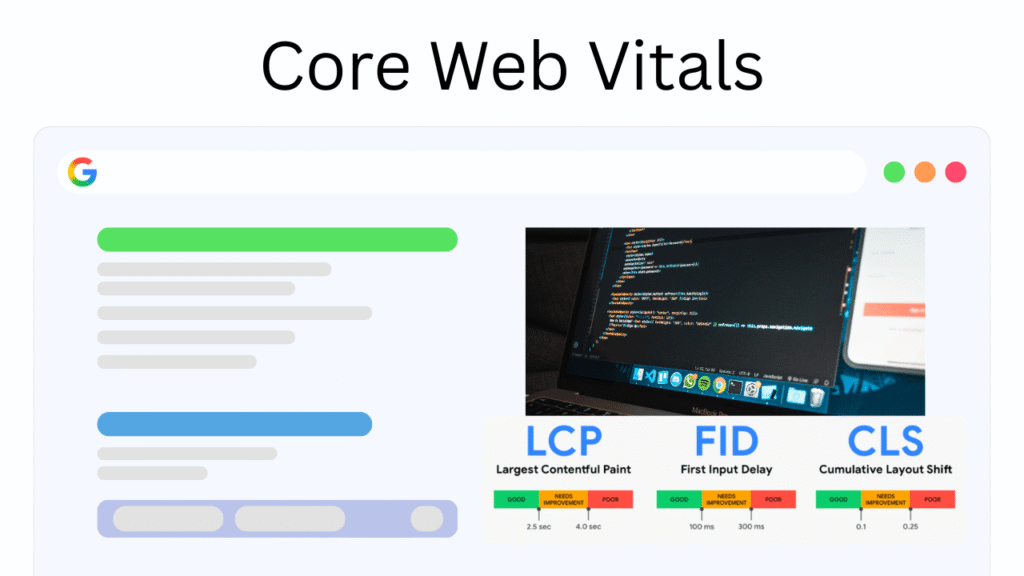
Core Web Vitals are a set of performance metrics introduced by Google to measure real-world user experience on websites. Unlike traditional technical metrics that focus only on server speed or raw load time, Core Web Vitals evaluate how users perceive performance while interacting with a page.
These signals are based on field data, meaning they reflect how actual visitors experience your site across different devices and network conditions.
At their core, these metrics aim to answer three fundamental questions: how fast does the main content load? How responsive is the page when users try to interact with it? And how visually stable is the layout during loading?
By answering these questions, Core Web Vitals creates a standardized way to evaluate usability at scale. Search engines use these insights to identify pages that deliver smooth, frustration-free experiences and distinguish them from those that cause delays, confusion, or accidental clicks.
Because visuals play a central role in modern web design, images naturally intersect with each of these measurements. This is why understanding how Images Affect Core Web Vitals is crucial for optimizing both user experience and SEO outcomes.
From hero banners to product photos and background visuals, images are often the heaviest resources on a page, which makes them a decisive factor in whether a site meets or fails performance thresholds.
Understanding Core Web Vitals is, therefore, not just a technical exercise; it is a strategic necessity for any website that values engagement, trust, and long term SEO success.

Which Core Web Vitals Can Images Affect? (The Three Metrics That Matter)
Although Core Web Vitals consist of three main metrics, images affect Core Web Vitals for each one in a unique and measurable way.
- Largest Contentful Paint (LCP)
The first metric, Largest Contentful Paint, focuses on how quickly the most prominent element in the viewport becomes visible. On many pages, that element is an image, such as a hero section or featured visual. When that image is large, poorly optimized, or slow to load, the perceived speed of the page suffers immediately.
- Interaction to Next Paint (FID)
The second metric, First Input Delay, evaluates how responsive a page feels when users interact with it. While images are not always the direct cause of interaction delays, heavy image assets can block the main thread, delay JavaScript execution and make the page feel sluggish when users click or scroll. This indirect impact often goes unnoticed but can significantly reduce responsiveness on slower devices.
- Cumulative Layout Shift (CLS)
The third metric, Cumulative Layout Shift, measures visual stability during loading. Images without predefined dimensions are a common source of layout shifts. When the browser does not know how much space an image will occupy, it renders surrounding content first and then pushes it down once the image loads. This creates sudden movement that disrupts reading flow and leads to accidental interactions.
Together, these three metrics demonstrate why image handling is inseparable from effective Core Web Vitals optimization, especially for content-heavy and visually rich websites.
How Do Images Impact Core Web Vitals?
Images affect your site at every stage of loading, from network requests to how the browser renders the page.
- One of the first things you’ll notice is the impact on loading speed. This is why understanding how Images Affect Core Web Vitals is so important; it shows exactly how visuals can speed up or slow down user experience.
- Large, unoptimized image files increase payload size, slow down initial rendering, and negatively affect images and page speed, particularly on mobile networks with limited bandwidth. This delay directly affects user perception and increases bounce rates.
- From a rendering perspective, improperly managed visuals can destabilize layouts. Pages that rely heavily on media assets without reserving space often suffer from visual jumps, undermining trust and usability. This is especially problematic for Largest Contentful Paint (LCP) images, which must load quickly and predictably to meet performance benchmarks. Ensuring that these critical visuals are prioritized helps browsers render meaningful content faster.
- Similarly, layout instability caused by missing image dimensions directly impacts Cumulative Layout Shift (CLS) images. When images load late and push content around, the user experience degrades instantly. Addressing this issue requires careful planning, not just technical fixes.
- Another major factor is how images are delivered and displayed across devices. Modern sites must adapt visuals to different screen sizes and resolutions. Using Responsive images allows browsers to select the most appropriate file for each device, reducing unnecessary data transfer while maintaining visual quality. This adaptability plays a key role in maintaining consistent performance across desktops, tablets, and smartphones.
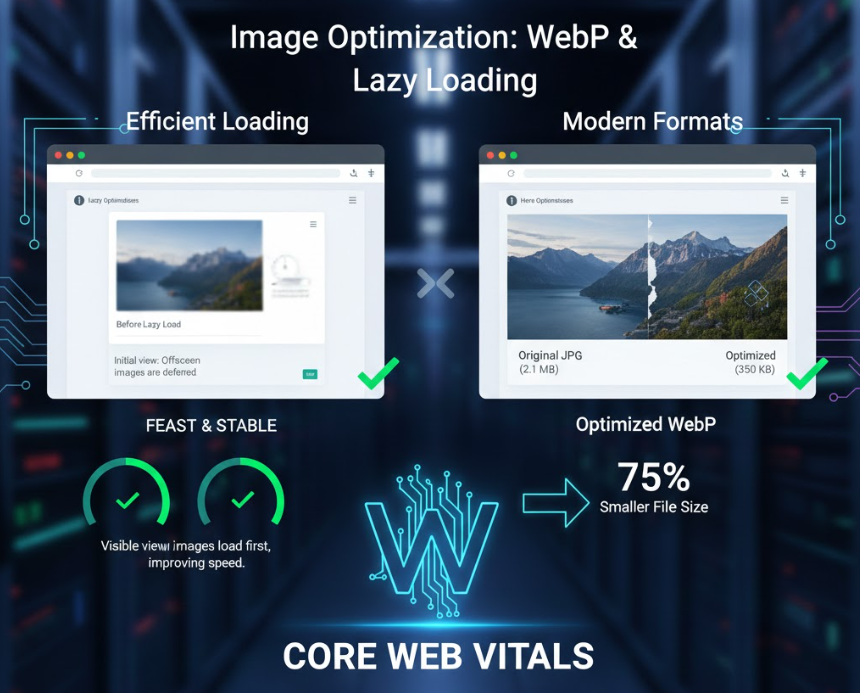
- Loading behaviour also matters. Deferring offscreen visuals through Lazy loading images prevents non-essential assets from blocking the initial render. By focusing resources on what users see first, pages become faster and more efficient without sacrificing rich visual design.
- Format selection further amplifies these benefits. Next-generation formats such as WebP and AVIF provide superior compression and image quality compared to traditional formats, significantly reducing file sizes. Combined with smart delivery strategies, these formats help balance aesthetics with speed.
- Behind all these techniques lies a broader strategy of efficiency. Applying thoughtful image compression techniques ensures that images remain visually appealing while minimizing their impact on performance. This contributes directly to page load speed optimization, especially on pages with multiple visuals competing for bandwidth.
- When these elements work together, they transform website performance images from a liability into an asset. Ultimately, image optimization for Core Web Vitals is not about sacrificing design quality; it is about aligning visual storytelling with technical excellence to deliver fast, stable, and engaging experiences.
The Strategic Role of Images in SEO and User Experience Alignment
Beyond performance metrics, images play a critical role in aligning technical SEO with human-centred design. Visuals shape first impressions, guide attention, and influence how users interpret content hierarchy on a page.
When teams understand why and how images affect Core Web Vitals, they begin to treat visual assets as structural components rather than decorative elements. Thoughtfully selected and technically well-managed images reduce cognitive load and help users process information faster, indirectly supporting engagement signals such as dwell time and scroll depth.
Search engines increasingly interpret these behavioural patterns as indicators of content quality. In this context, images act as a bridge between machine-readable performance standards and emotional user responses, signalling trust, clarity, and long-term value to both users and algorithms.
At the end
In today’s performance-driven web ecosystem, visuals are no longer just decorative elements; they are powerful signals that shape user experience and search visibility. When handled carelessly, images can quietly undermine trust and rankings, but when managed strategically, they become a competitive advantage.
The reality is simple yet impactful; images affect core web vitals, and by extension, they influence how users feel about your site and how search engines evaluate its quality.
Now it’s your turn to take action. Want better rankings? Start auditing your images and see where performance can improve. Curious how your site scores today? Share your experience or questions in the comments. Looking for practical insights? Test your pages and compare before and after results.