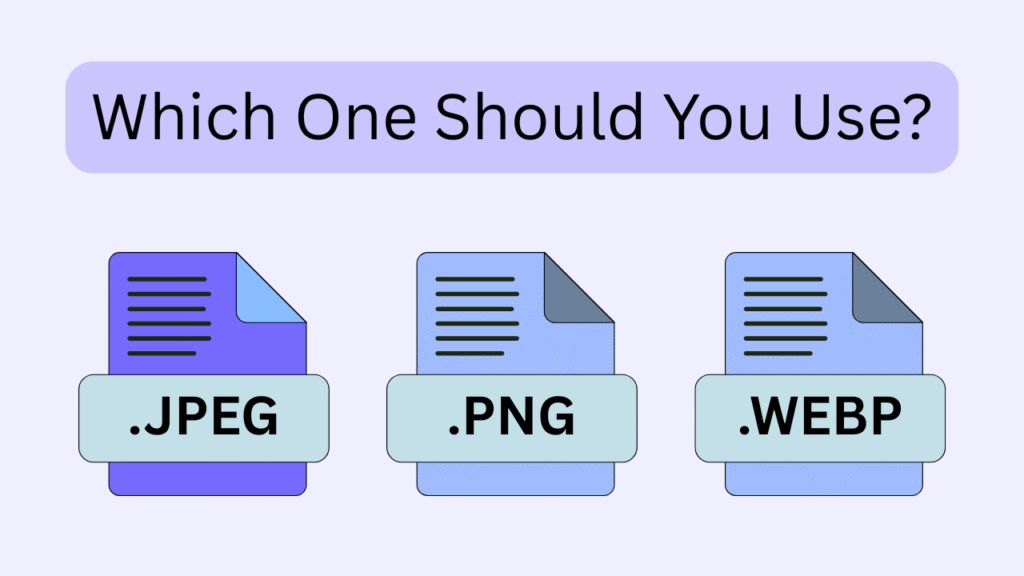
It’s late, the deadline is closing, and your files are ready, but their size and speed could jeopardize your work. That’s the moment when PNG vs. JPEG vs. WebP turns from a simple technical choice into a high-stakes showdown.
Each format promises something different: razor-sharp quality, smaller size, or modern performance, but only one can truly fit your goal. The real challenge isn’t knowing their names; it’s understanding their hidden strengths and silent weaknesses.
Pick wrong, and users bounce. Pick right, and everything feels fast, smooth, and professional. Curious which format deserves your trust and when? Keep reading, the answer might surprise you.
Why Image Formats Matter More Than Ever?
Images are no longer just decorative elements on a website; they shape perception, usability, performance, and even credibility. In today’s digital landscape, where attention spans are shrinking and competition is relentless, the way images are stored and delivered can directly influence how users experience a site.
Choosing the right format among PNG vs. JPEG vs. WebP affects loading time, clarity, adaptability across devices, and even how content appears in search results. This is why an informed image formats comparison is a foundational step for anyone building or optimizing a modern website.
What many people overlook is that image formats are not interchangeable tools; they are purpose-built solutions. Each one carries its own technical philosophy, strengths, and compromises.
Understanding these differences allows designers, developers, and content creators to make strategic decisions rather than relying on habit or outdated assumptions.
Beyond aesthetics, the choice of image format now intersects with Web image optimization, mobile optimization, and even broader considerations like SEO for images, making it essential for anyone aiming for high-performing websites.
JPEG; Efficiency Built for Photographic Content
JPEG has remained one of the most widely used image formats for decades, largely because it was designed to handle complex visuals efficiently. When deciding between “PNG vs. JPEG vs. WebP, JPEG excels at rendering photographs, gradients, and scenes with millions of colours while keeping file sizes relatively manageable.
This makes it ideal for blogs, landing pages, and portfolios that rely heavily on realistic imagery. With the ongoing emphasis on website speed, JPEG’s ability to produce smaller files without noticeably compromising quality keeps it highly relevant. Using JPEG wisely is a key factor in File size vs quality, helping sites maintain fast loading times while still displaying detailed photos.
However, JPEG achieves its compact size by discarding some image data during compression. This is an example of lossless vs. lossy compression, where JPEG uses lossy methods that permanently remove certain details to reduce size.
This tradeoff is usually invisible to the casual viewer, but repeated editing and saving can gradually degrade visual fidelity. Despite this limitation, JPEG remains a practical choice when balancing visual appeal with fast delivery.
Its compatibility across all browsers, platforms, and devices also makes it a safe and predictable option for global audiences, especially when consistency is more important than pixel-perfect precision.
PNG; Precision, Clarity, and Transparency
PNG takes a fundamentally different approach by preserving every pixel of image data. This makes it particularly valuable for graphics that demand sharp edges, crisp text, or consistent colours, such as logos, icons, and interface elements. For PNG vs. JPEG vs. WebP, PNG is preferred here for full pixel preservation and transparency.
One of its most distinctive advantages is its support for alpha transparency, which allows transparent images to blend seamlessly into any background without visual artifacts. This feature is especially important for designers aiming to maintain consistent branding and for UI elements that need to adapt dynamically across platforms.
Because PNG files retain full image information, they tend to be larger than their JPEG counterparts. This can affect mobile optimization and page load times, but it makes them highly effective in design centric contexts where accuracy matters more than size.
When evaluating file size vs quality for graphics or UI elements, PNG clearly prioritizes perfect visual fidelity over compression efficiency, making it a go to format for logos and sharp edged images.
WebP: A Modern Format for a Performance-Driven Web
WebP was developed to address the evolving demands of the web, where speed, efficiency, and adaptability are critical. It combines the strengths of older formats while minimizing their weaknesses, offering impressive image compression without sacrificing noticeable quality.
This makes it a strong candidate for websites focused on website speed and performance optimization. In PNG vs. JPEG vs. WebP, WebP stands out for superior compression and web performance.
What sets WebP apart is its versatility. It supports transparency, animation, and multiple compression methods within a single format. For developers managing large volumes of visual content, this flexibility simplifies workflows and reduces the need for multiple file types.
In terms of image resolution, WebP can maintain great detail while keeping file sizes small, making it ideal for responsive web designs that serve multiple device types. Although WebP adoption has grown rapidly, it still requires awareness of browser support and fallback strategies to ensure a consistent experience for all users.
PNG vs. JPEG vs. WebP, The Best Image Format for WordPress
Choosing the right image format for your WordPress website can make a huge difference in both appearance and performance. While JPEG, PNG, and WebP each have their own strengths, using the wrong format can slow down your site, affect image clarity, and even disrupt design consistency.
This is crucial when aiming for the best image format for the web, especially when balancing speed, quality, and responsive design.
| Feature | JPEG | PNG | WebP |
| Image Detail & Compression | Uses lossy compression; some quality loss is expected | Retains all details with lossless compression | Offers both lossy and lossless compression for flexible quality |
| Browser Support | Works in all major browsers without issue | Modern browser support is strong; older versions may have limitations | Supported in most up-to-date browsers; a fallback is needed for some old browsers |
| File Size & Load Time | Generally, smaller files, faster loading | Larger files are slower to load | Small files with a good balance of speed and quality |
| Animation | No | No | Yes, supports animated graphics |
| Color Range | 16.7 million colours (24-bit | 24-bit or 32-bit (with alpha channel) | 24-bit or 32-bit (with alpha channel |
| Typical File Size | Medium | Large | Small |
| Editing & Re-saving | Loses quality each time saved | Maintains quality after multiple edits | Maintains quality in lossless mode |
| Processing Requirements | Low | Low | Slightly higher due to compression complexity |
| Editor Compatibility | Universal | Universal | Supported in most modern design tools |
Best Use Cases | Photos, realistic imagery, gradient-heavy images | Graphics with sharp edges, text, or transparent backgrounds | Versatile: photos, graphics, and web images needing transparency |
In conclusion
Not all image formats are created equal; are you choosing the right one for your website?” When deciding PNG vs. JPEG vs. WebP, it depends on your needs.
JPEG is great for photos with manageable file sizes, PNG is best for sharp graphics and transparency, and WebP combines small size with high quality for fast-loading websites.
Now comment on us. Which format do you use most? Have you tried WebP yet? Do you care more about quality or file size? Would a simple guide help you choose the right format?