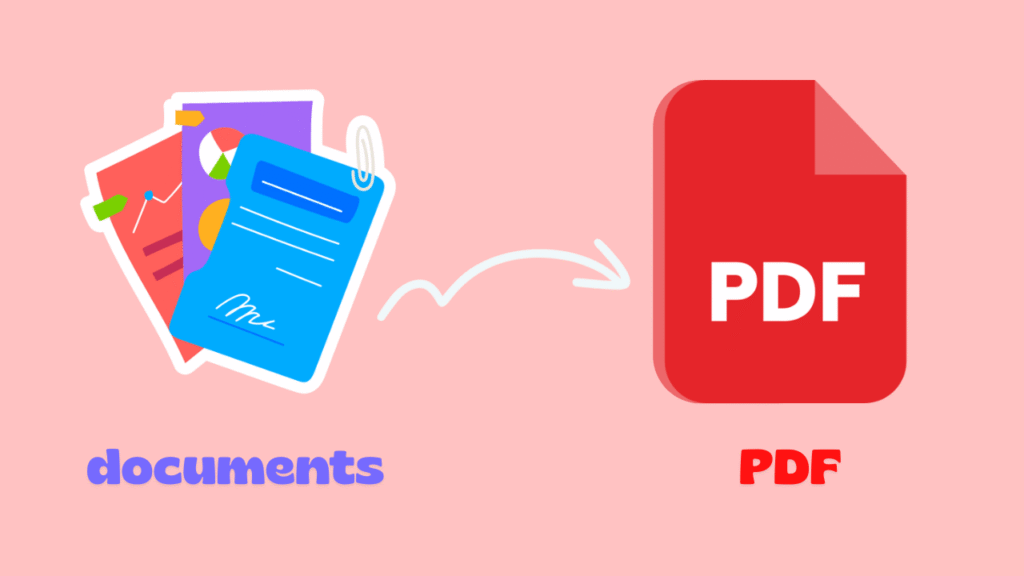
You’ve spent hours perfecting a file, fonts aligned, tables precise, everything professional. Then you hit send… and moments later, a reply comes: “The formatting is all messed up!” That’s when Convert Documents to PDF becomes a lifesaver.
This simple yet powerful solution ensures your documents look flawless on any device, every time. PDFs lock in fonts, layouts, and visuals, offer strong security, simplify sharing, and reduce file size.
Want to see how PDF can make your work look professional, protect your credibility, and simplify collaboration? Keep reading to discover all the tips!”
(5) Reasons to Convert Your Documents to PDF
Before exploring the specific benefits, it’s essential to understand why many organizations consistently choose to convert documents to PDF as a central part of their daily workflow. This format is much more than just a digital container; it provides a reliable framework for consistency, security, and professional communication.
Whether managing internal documents or sharing files with external partners, PDFs offer a structured solution that adapts to various needs while maintaining high quality. Here are five key reasons why PDFs continue to dominate document management across industries.

- Reason 1: Consistent Appearance Across All Devices
One of the most significant benefits of PDF files is their ability to preserve visual consistency. When creating documents in word processors or design software, layouts often depend on fonts, margins, and software versions. PDFs lock all of these elements in place.
For example, a marketing proposal designed on a Mac will appear exactly the same on a Windows PC, tablet, or smartphone. This ensures there are no embarrassing layout shifts, missing fonts, or broken tables, making PDFs ideal for contracts, manuals, reports, and academic papers that require precise formatting.

- Reason 2: A Format Everyone Can Open
If you’ve ever sent a document only to hear, “I can’t open this,” you already understand why using the PDF format is important. PDFs are readable on virtually any device without needing expensive or specialized software.
This is why PDFs are often called a universal file format. From smartphones and tablets to desktops and e-readers, PDFs can be opened with free, lightweight applications. Learning how to convert documents to PDF ensures your work is always accessible and professional.
This accessibility saves time, reduces technical support issues, and ensures seamless communication between teams, clients, and partners worldwide.

- Reason 3: Stronger Security and Controlled Sharing
When handling sensitive information, document security is critical. A primary PDF file advantage is the ability to control who can view, edit, or print your files. PDFs can be encrypted, password-protected, or restricted to prevent unauthorized copying, editing, or printing.
These capabilities make secure document sharing straightforward, particularly for financial records, legal agreements, or internal company reports. For instance, a confidential company policy can be shared with view-only access, ensuring content cannot be modified or misused.
- Reason 4: Optimized Storage and Faster Transfers
Large documents with high-resolution images, charts, or graphics can be difficult to store or share. PDFs are specifically designed to reduce file size without compromising quality.
Compressed PDFs are easier to email, upload, or archive. By choosing to convert documents to PDF, even a massive presentation becomes a compact, easily shareable file, saving storage space and accelerating transfers.
A presentation that was once too large to send can be converted into a compact PDF, saving storage space and accelerating file transfers, a major benefit for remote teams or cloud-based systems.
- Reason 5: Clear Distinction Between Editable and Final Versions
In collaborative environments, it’s easy to lose track of which file version is final. PDFs clearly distinguish editable vs non-editable documents. While editable source files are kept for internal work, PDFs are commonly used as finalized documents for review, approval, or distribution.
For example, designers can share a PDF version with clients to prevent unintended changes. This clarity maintains version control and prevents costly mistakes.
How to Convert a Document to PDF?
After understanding why PDFs are valuable, the next step is learning how to convert Documents to PDF effectively. The process is simple, flexible, and suitable for different tools and skill levels.
Whether you’re working with text documents, spreadsheets, or presentations, modern software offers multiple ways to convert files while preserving quality and usability. Below is an overview of the most common methods, followed by step-by-step guidance for each.
(3) General Methods for Document Conversion
The process of document conversion to PDF involves transforming files into a stable, shareable format while keeping their original structure intact. Most operating systems and applications now include built-in PDF export options, making conversion accessible to everyone.
Additionally, online platforms and dedicated software provide advanced features like batch conversion, compression, and security settings. Choosing the right method depends on your workflow, document sensitivity, and the level of control you need.
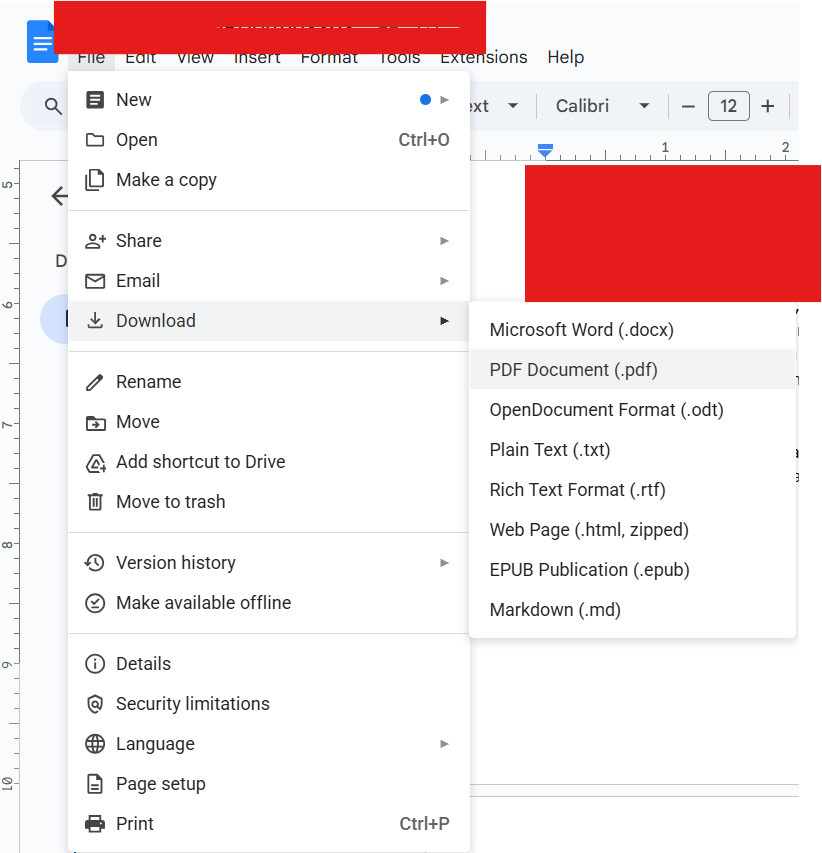
Step-by-Step Convert Documents to PDF Using Desktop Software
This method is perfect for preserving the exact layout, fonts, and visual elements of your document.
- Open your original document in its native application (Word, Excel, PowerPoint, or similar).
- Select “Save As” or “Export” from the File menu.
- Choose PDF as the output format from the list of available file types.
- Adjust settings, if necessary, such as page size, image quality, or accessibility options.
- Save the file in your desired location and review the PDF to ensure accuracy.
Step-by-Step Convert Using Online Tools
Online tools such as “adobe.com” and “freepdfconvert.com” are convenient for quick tasks and support cross-platform compatibility, allowing conversions on any operating system without installing additional software. Always check privacy policies when handling confidential files.
- Visit a trusted online PDF conversion platform.
- Upload your document securely through the website interface.
- Select PDF as the desired output format.
- Wait for the conversion process to finish.
- Download the converted PDF to your device.
Step-by-Step Convert Using the Print to PDF Feature
This feature is useful for uncommon file types or older software that lacks direct PDF export options.
- Open your document in any program that supports printing.
- Select “Print” from the menu.
- Choose “Print to PDF” as the printer option.
- Confirm settings and save the PDF.
Conclusion
In today’s fast paced digital environment, choosing the right file format is more than a technical decision; it’s a strategic one. When you convert documents to PDF, you gain consistency, accessibility, security, and efficiency in a single solution.
PDFs streamline collaboration, protect valuable content, and ensure your documents always appear professional, no matter where or how they are opened. By understanding the benefits and mastering the conversion process, you can enhance workflow, communicate confidently, and prevent common document errors.
Now it’s your turn. Ready to upgrade your document workflow? Start converting today and experience the difference. Have questions or tips about PDFs? Share your thoughts in the comments. Want more practical guides like this? Subscribe and stay ahead.